Publishing DiscoOffers with the Disco Script (no Checkout Extensibility)
If your Shopify store isn't on Checkout Extensibility yet, you add DiscoOffers with the Disco Script on your post-purchase pages — the steps below walk you through it.
On Checkout Extensibility? Most Shopify stores are — you want Publishing DiscoOffers on your Shopify store instead: the widget install, no code.
Before you start: find your Publisher ID
In your Disco dashboard, go to Integrations and copy your Publisher ID. You'll paste it into the script below.
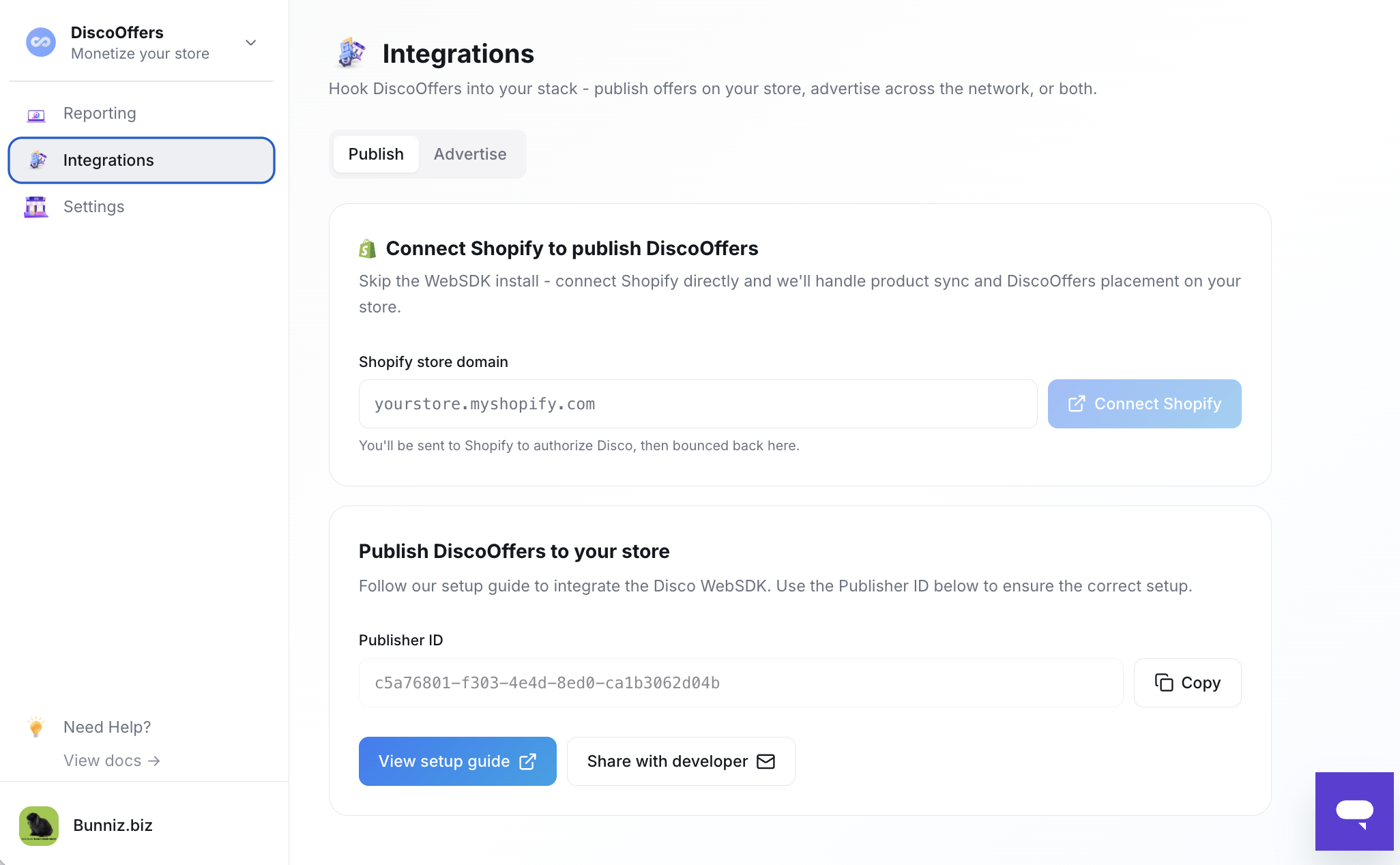
Add the script
- In your Shopify admin, go to Settings.
- Open the Checkout section.
- Scroll down to Additional Scripts.
- Paste the Disco script (below) into the Additional Scripts box. If you already have scripts there, add the Disco script at the very top of the existing code.
<!-- Disco Start -->
<script type="text/javascript" src="https://d1zcmvsklxjbur.cloudfront.net/static/disco.js?publisher_id=<<publisher id>>&environment=production"></script>
<!-- Disco End -->
Replace <<publisher id>> with your actual Publisher ID — the one you copied above.
If the Additional Scripts section is hidden
Some Shopify stores have the Additional Scripts section hidden. If you don't see it:
- Right-click the area and choose Inspect to open your browser's Inspector.
- Remove the
hiddenattribute (or any CSS class hiding/disabling the section) so it's editable. - Add the Disco script as above.
Confirm it's working
After saving, run a test order and confirm offers render on your post-purchase pages. See Going live: review and activation.