Add Pre-Purchase to your Shopify checkout
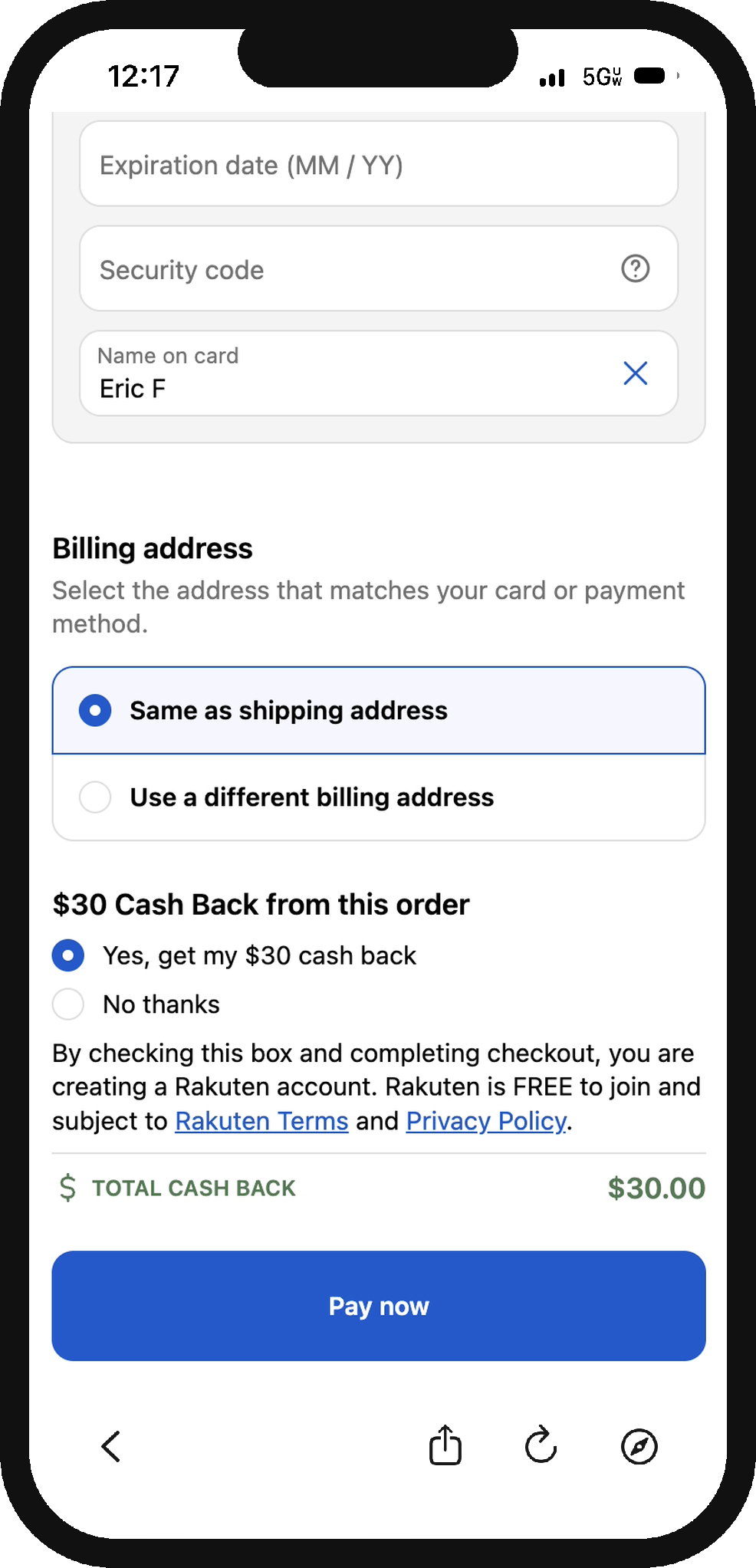
The pre-purchase placement lets your customers earn cash back on the order they're placing, right inside your Shopify checkout. Rakuten funds the reward, so you add value at checkout without discounting your product, and you earn on every opt-in.
What your customers see
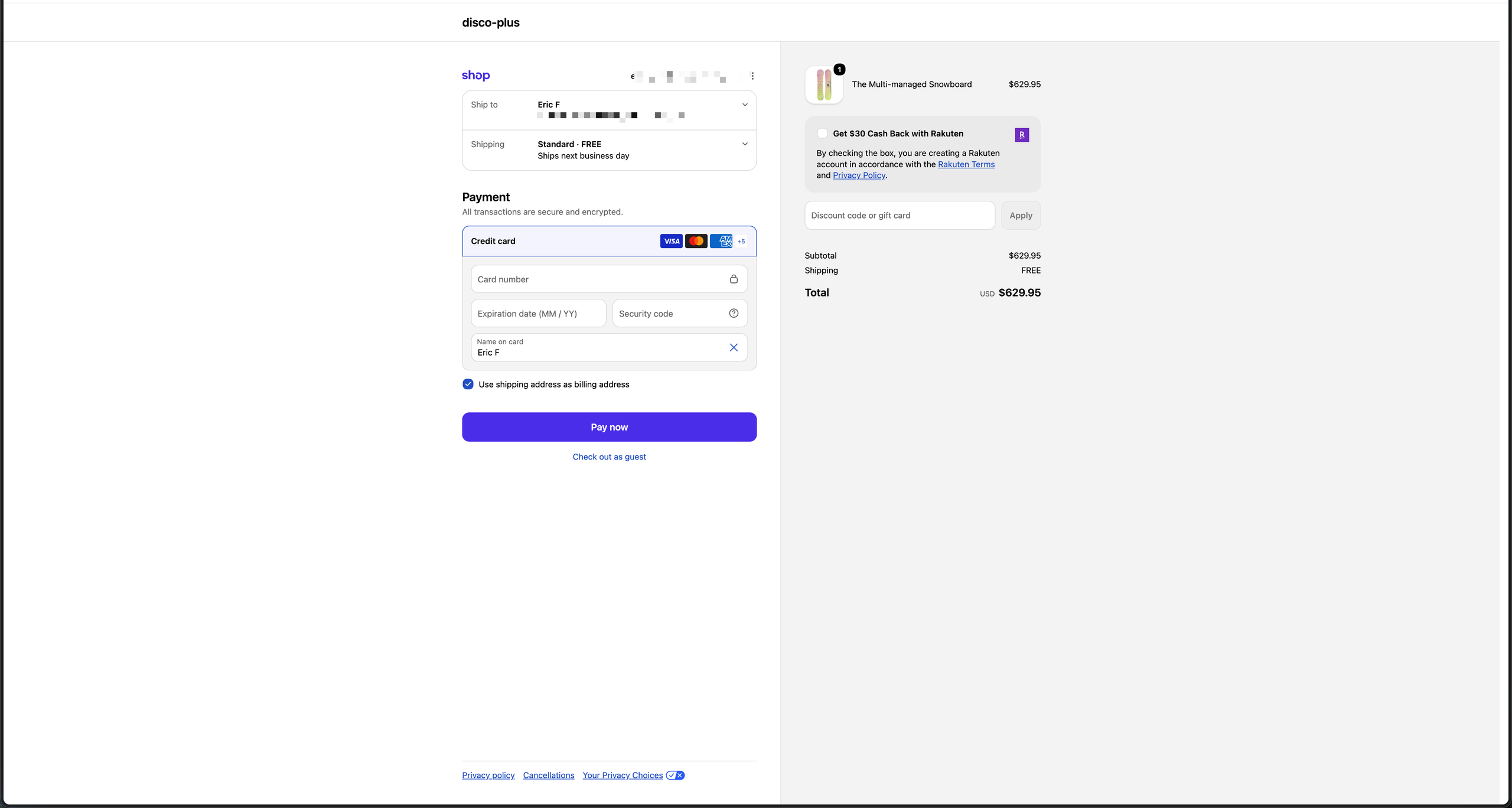
After a customer enters their email at checkout (or signs in), Disco checks whether they're eligible for the offer. Eligible customers see a Rakuten cash-back module in your checkout, for example "Get $30 cash back on this order."
- Checking the box opts them in and creates their free Rakuten account. Rakuten's terms and privacy policy are linked in the module.
- The cash back is earned on the order they're completing, not a future purchase. It lands in the Rakuten account created at the checkbox; it is not a discount on the order total.
- Cash-back amounts are set by order value, up to $30 per order.
- If they don't check the box, nothing about their checkout changes. Customers who aren't eligible don't see the module at all.
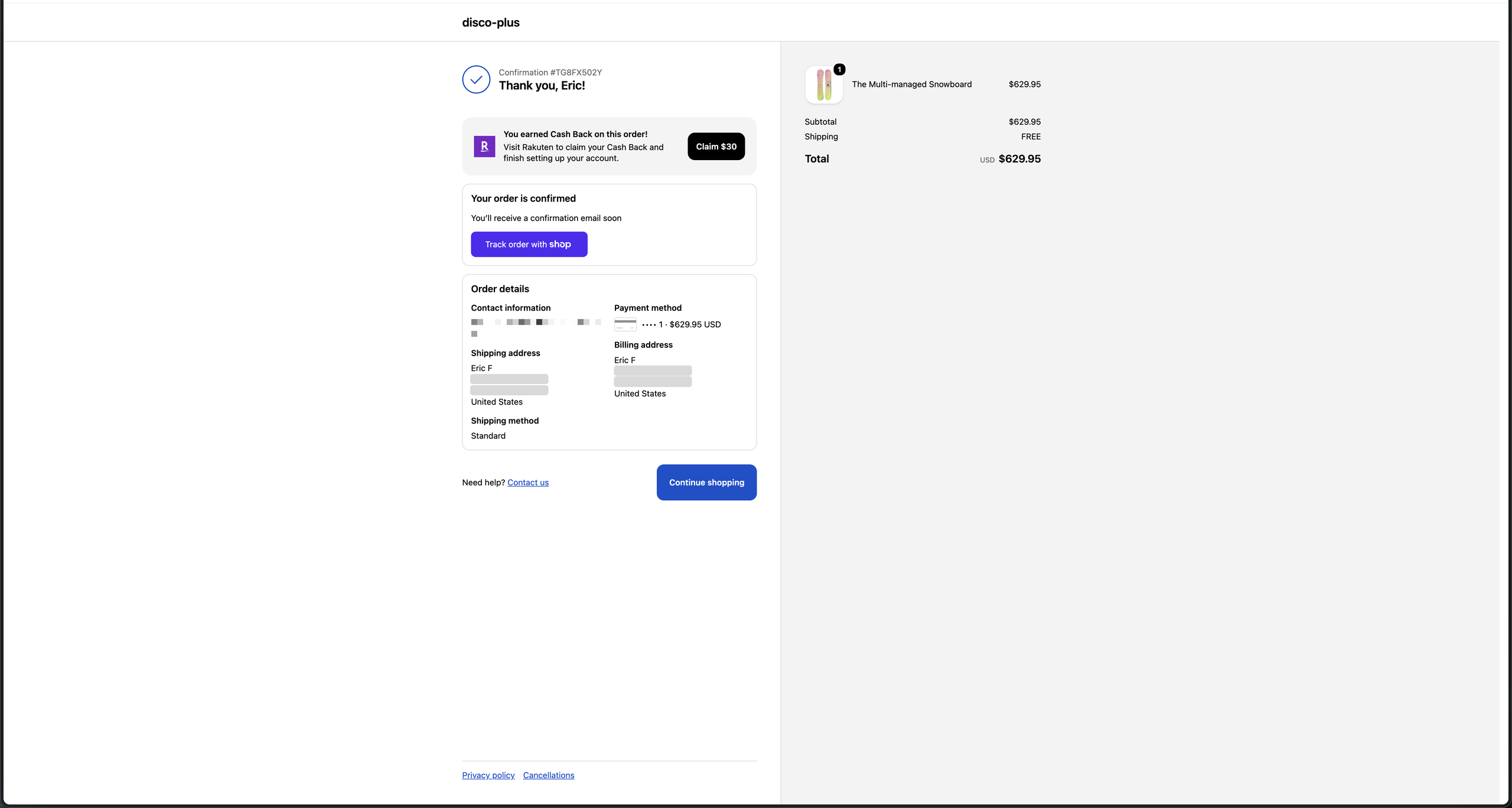
After checkout, opted-in customers see a confirmation on your thank-you page and receive an email from Rakuten to finish setting up their account.
On a desktop checkout, and the thank-you page after an opted-in order:
Before you start
- Your store is on Shopify Plus. The placement is built on checkout editor blocks, which require a Plus plan.
- The Disco app is installed on your store.
Adding the blocks
The placement uses three blocks across two pages, and all three must be added for the integration to work correctly.
In Shopify admin, go to Sales Channels › Online Store › Edit theme › Checkout and customer accounts.
- Checkout page, desktop. In the Order summary section, click Add block and add the Prepurchase Incentive block. If you use Shop Pay, enable the Include block in Shop Pay toggle.
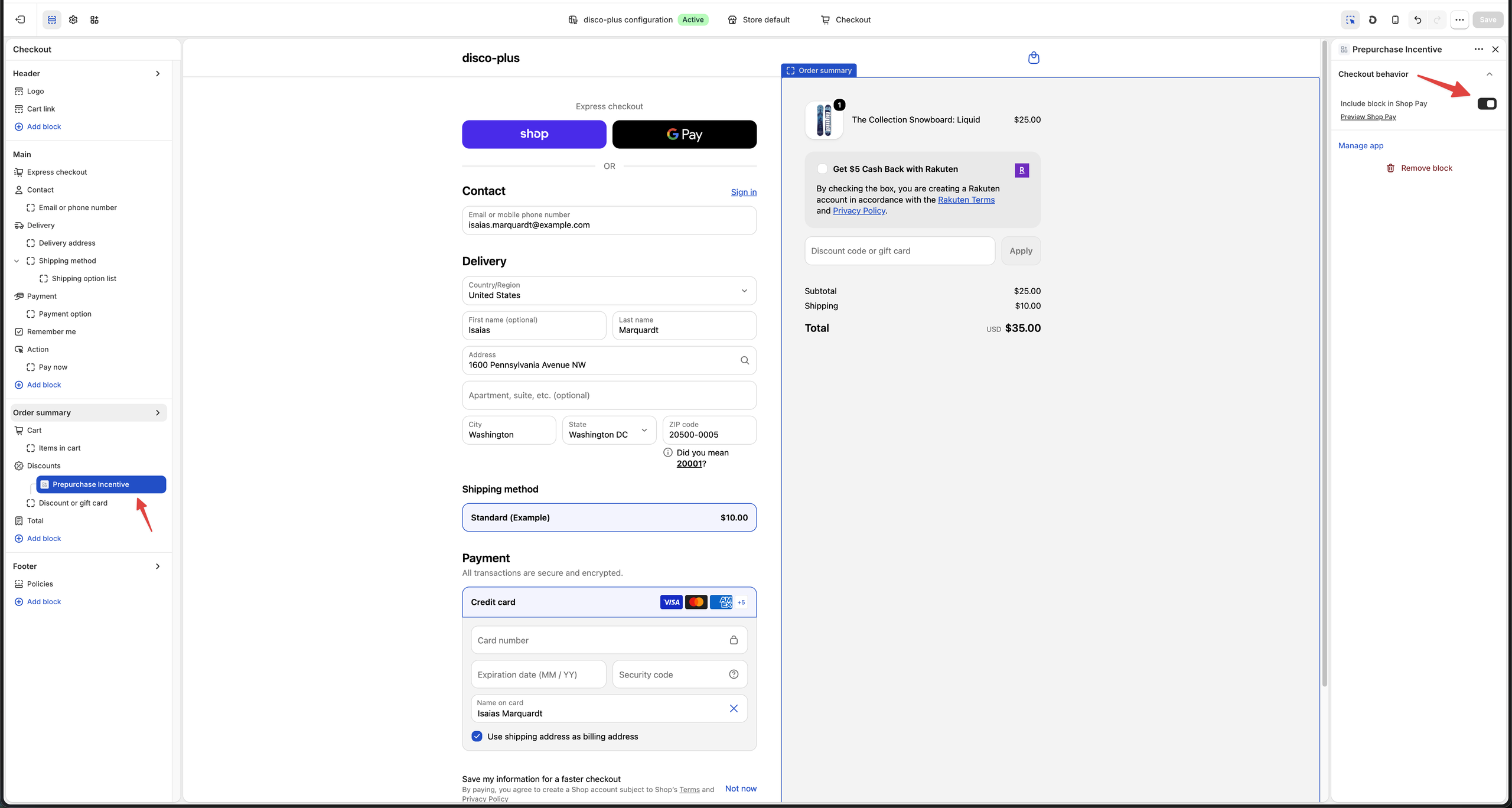 2. Checkout page, mobile and tablet. Add the same Prepurchase Incentive block to the Main section, and enable the Shop Pay toggle there too.
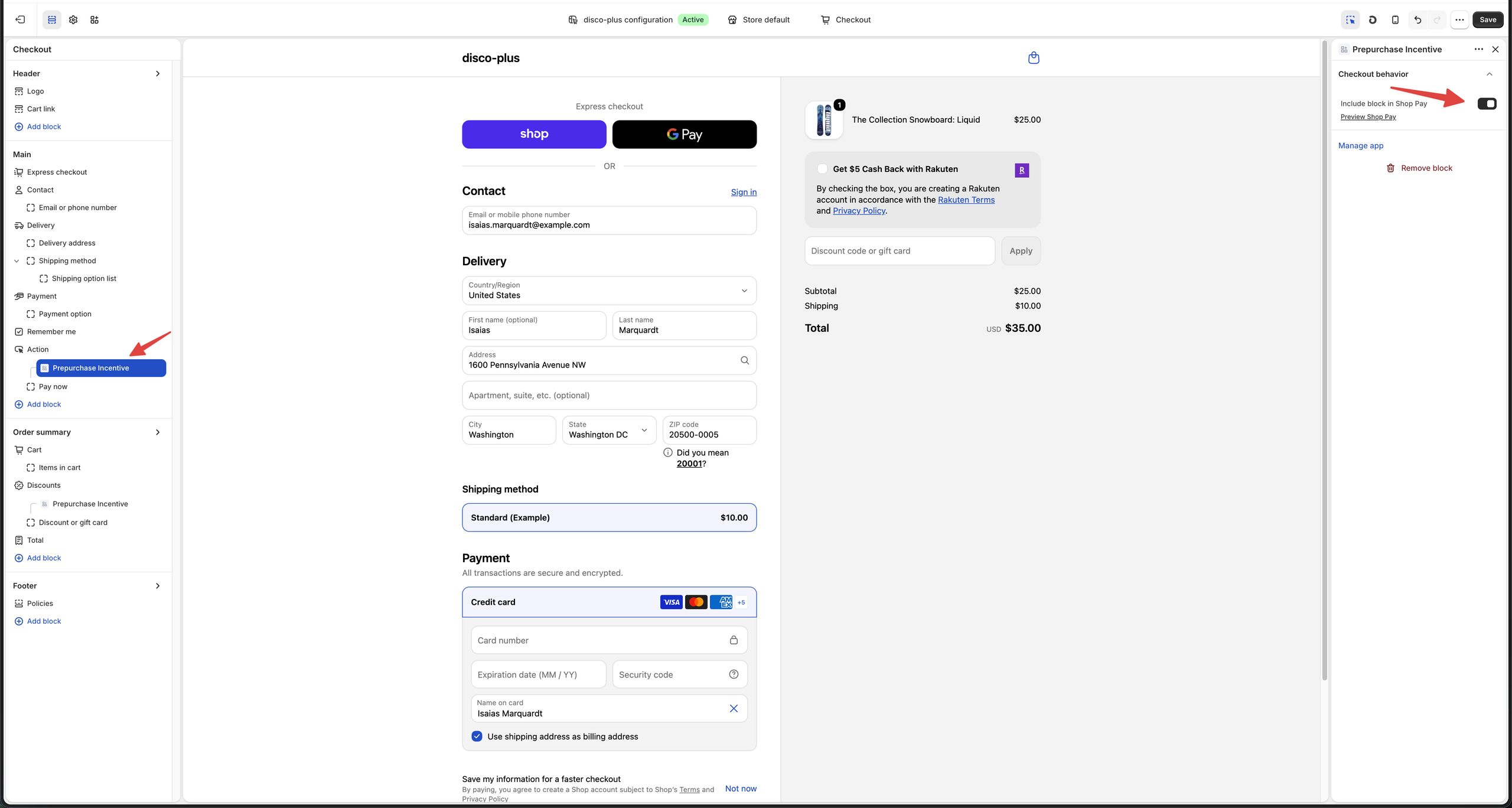 3. Thank you page. In the Main section, click Add block and add the Prepurchase TYP block.
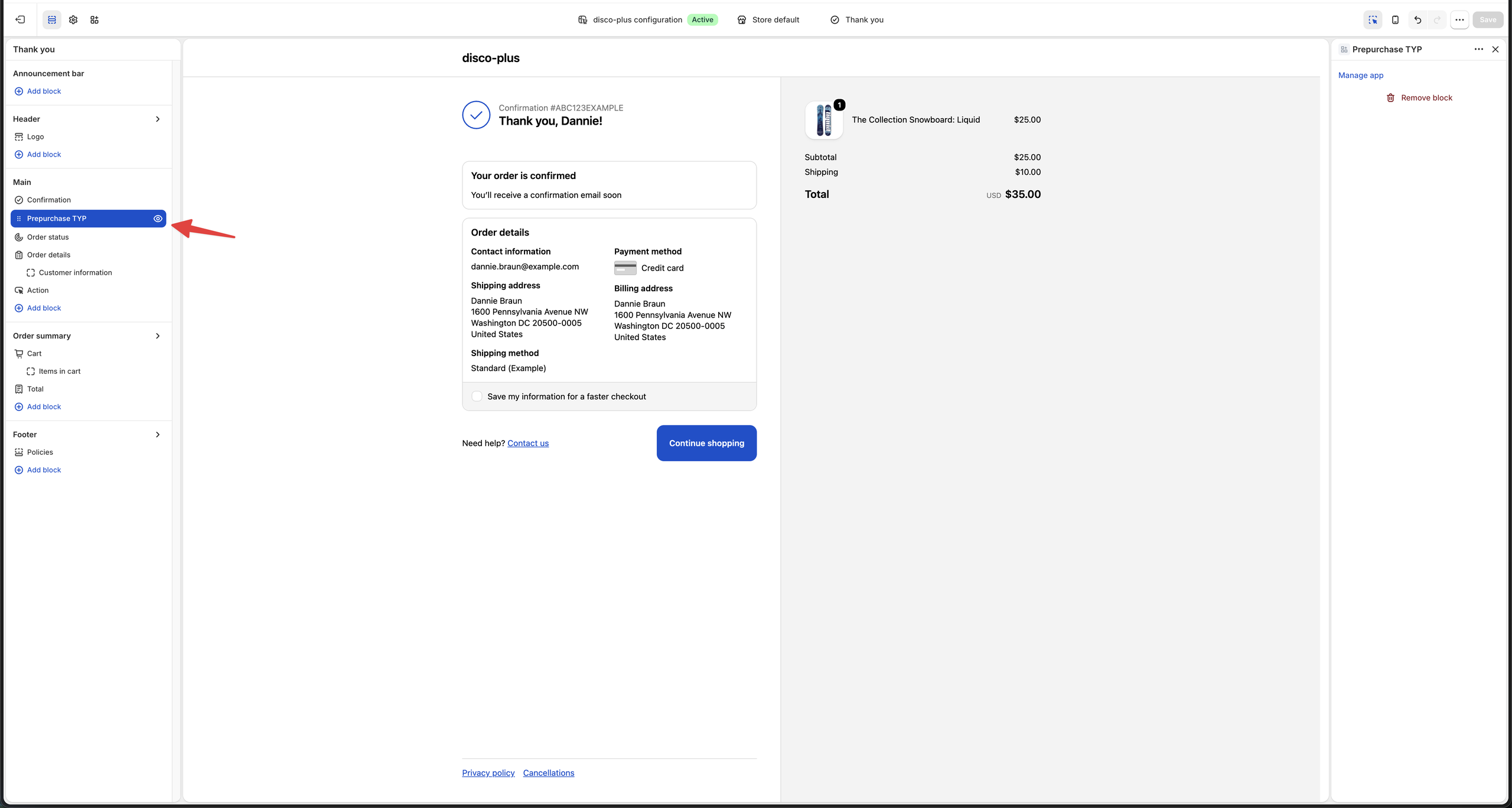
Save your changes. No code or developer work is required, and you don't need to contact Disco to switch the placement on. It's enabled by default once the blocks are saved.
Here's the whole sequence, end to end:
Your launch starts with an A/B test
Every launch begins behind an A/B test on a portion of your traffic, measured against a holdout, so you can see the placement's effect on your own store's numbers before rolling it out further. Your Disco team will share results and recommend next steps.
How you earn
You earn each time a customer opts in to the cash-back offer. Rakuten funds the customer's reward, there's no fee to run the placement, and no discount comes out of your order. Your revenue share is set in your Disco publisher agreement.
FAQ
Will this hurt my checkout conversion? It's built as a reward at checkout, not a redirect, and every launch starts behind an A/B test on your own traffic, so you can measure the effect on your store directly before scaling.
Does Rakuten take a commission on these orders? No. Rakuten funds the offer and charges no commission on placement orders.
Will my customers start getting Rakuten emails? Opting in is an explicit action: the customer ticks the box themselves, and Rakuten's member communications follow from that opt-in. Customers who don't opt in get nothing.
Does the offer appear when a discount code is used? Yes. Suppressing the offer when a discount code is applied isn't supported in the first release; it's on the roadmap.
Does it work on mobile? Yes. There are dedicated checkout blocks for desktop and for mobile and tablet; add both so the module renders everywhere.
Can I see the module before it goes live? Ask your Disco team. They'll mock the placement up on your own checkout and can walk you through it on a live demo store.
How do I turn it off? Remove the blocks in the checkout editor, or contact your Disco team.