Channel performance reporting
The Reporting tab in Channel Management is a report builder. Pick a date range, choose how rows and columns are laid out, and export what you build.
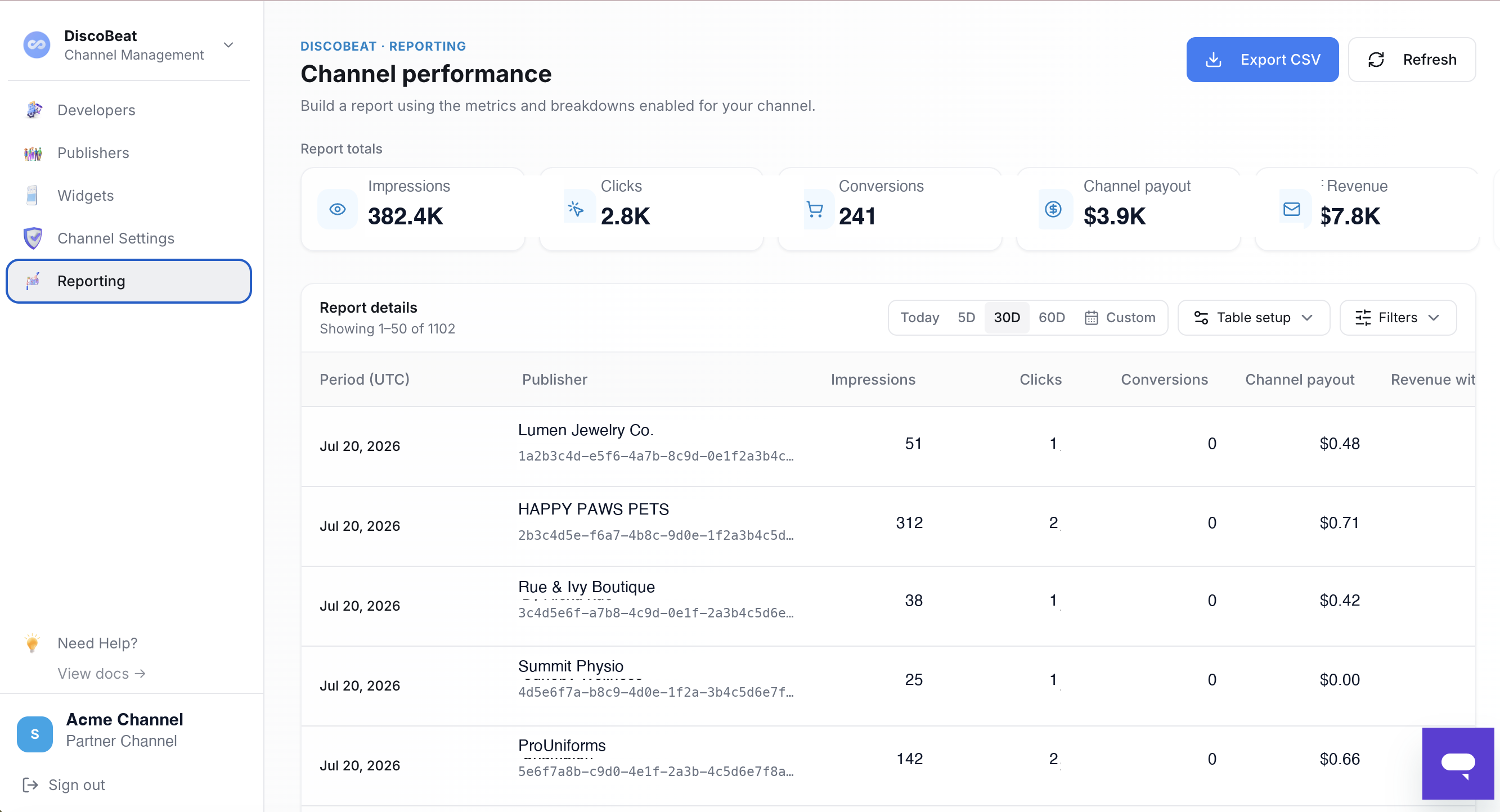
Report totals across the top show your filtered totals for the full date range: impressions, clicks, conversions, your channel payout, and any other metrics enabled for your channel. Your Disco contact can enable the specific metrics your team wants to report on.
Date range presets cover today, the last 5, 30, or 60 days, or pick a custom range.
Table setup: rows, breakdowns, metrics
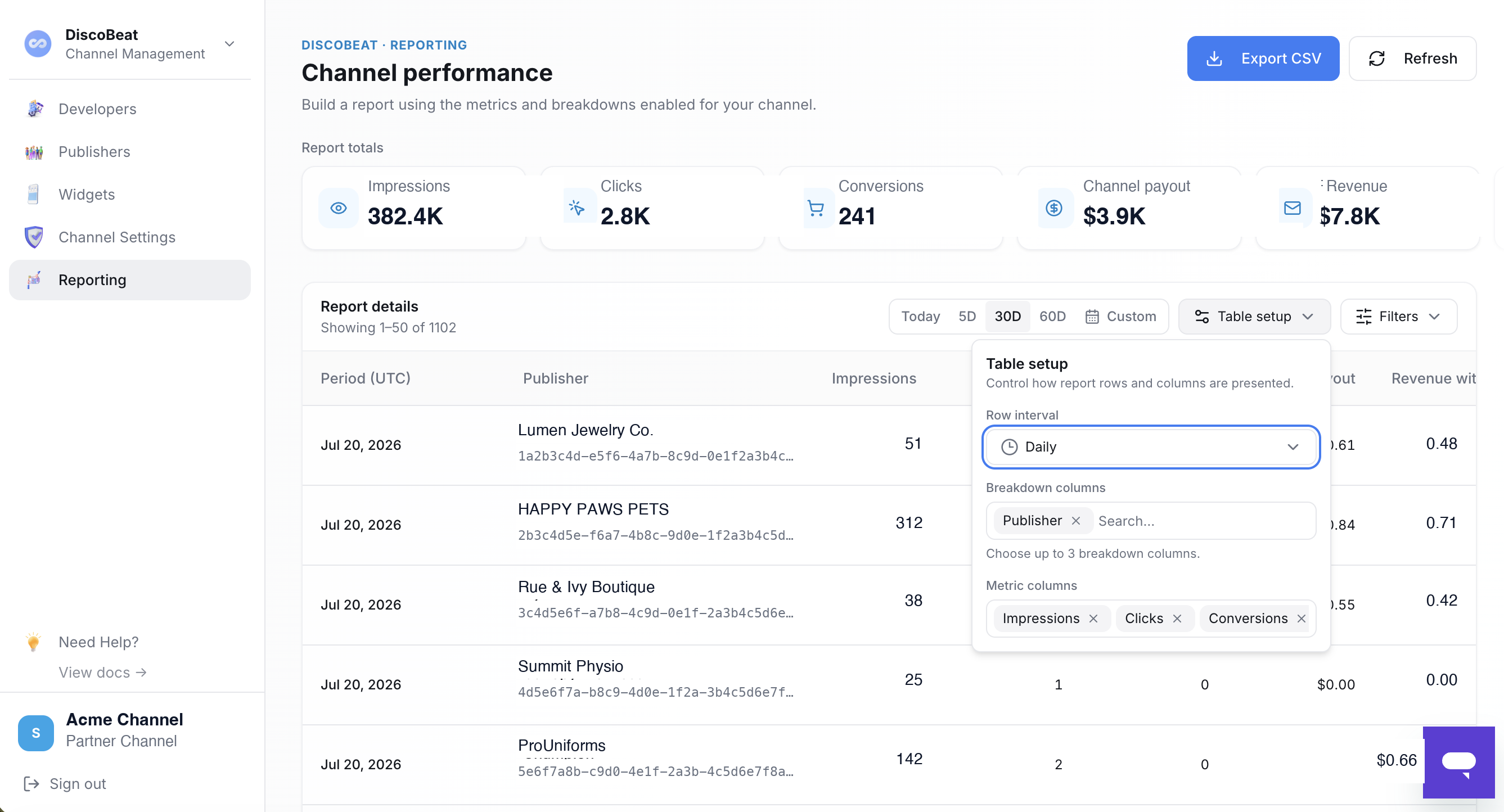
- Row interval controls the time grain of each row, such as daily.
- Breakdown columns split each period into rows by up to three dimensions, such as publisher. A publisher breakdown gives you one row per publisher per period, which is how you see exactly what each publisher on your channel earned.
- Metric columns control which metrics appear as columns.
Filters narrow the report to specific publishers or page types, and Export CSV downloads the report you've built for your own analysis or to share internally.
Pulling the same data programmatically
Everything the Reporting tab shows, your systems can pull through the Reporting API: same metrics, same breakdowns, built for scheduled pulls into your own reporting stack. The same management API key from the Developers tab works across the Channel API and the Reporting API.