Managing your publishers
Your publishers are the individual brands in your channel where your Disco offers serve. This guide covers adding them and getting each one live. You set things up once — from then on, publisher #1 and publisher #1,000 work the same way.
When you log in as a channel partner, Disco takes you to Channel Management. The left nav has five sections: Developers (your secret Channel API keys), Publishers, Widgets, Channel Settings, and Reporting.
Add publishers
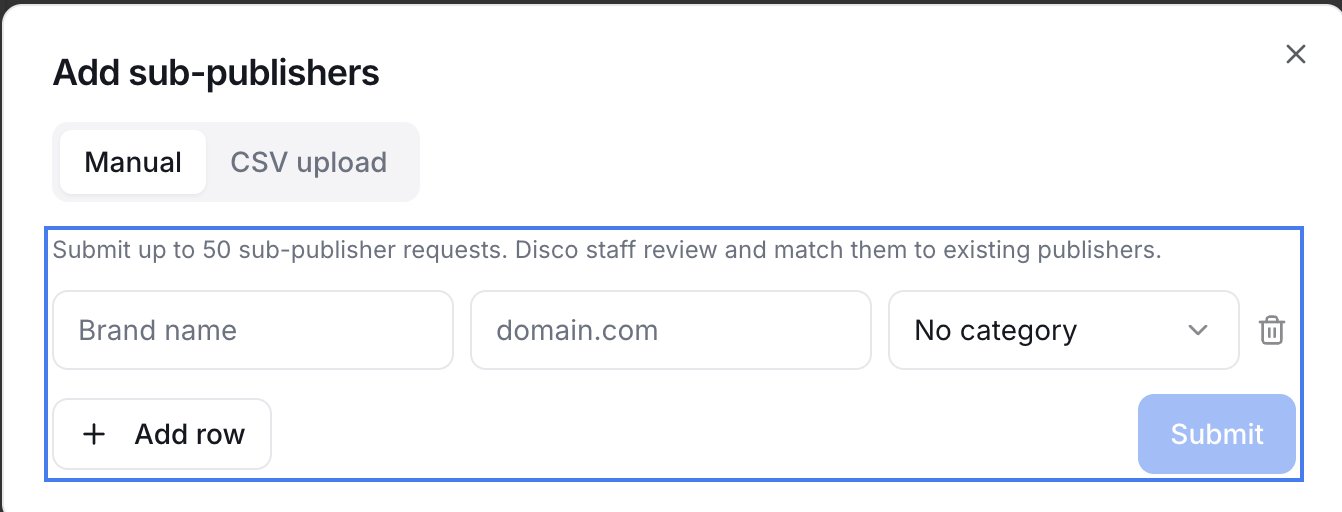
On Publishers, click Add publishers. You can:
- Manual — add publishers by entering each one's brand name, domain, and category (up to 50 per submission — use Add row for more than one).
- CSV upload — for bulk. Download the Template, fill in
brand_nameanddomain(plus optionalcategoryandsubcategories), and upload; Disco validates the file before importing. The form suggests up to 5,000 rows as a starting point, but there's no hard limit.
Your developers can also add publishers programmatically through the Channel API (see Developers → API keys).
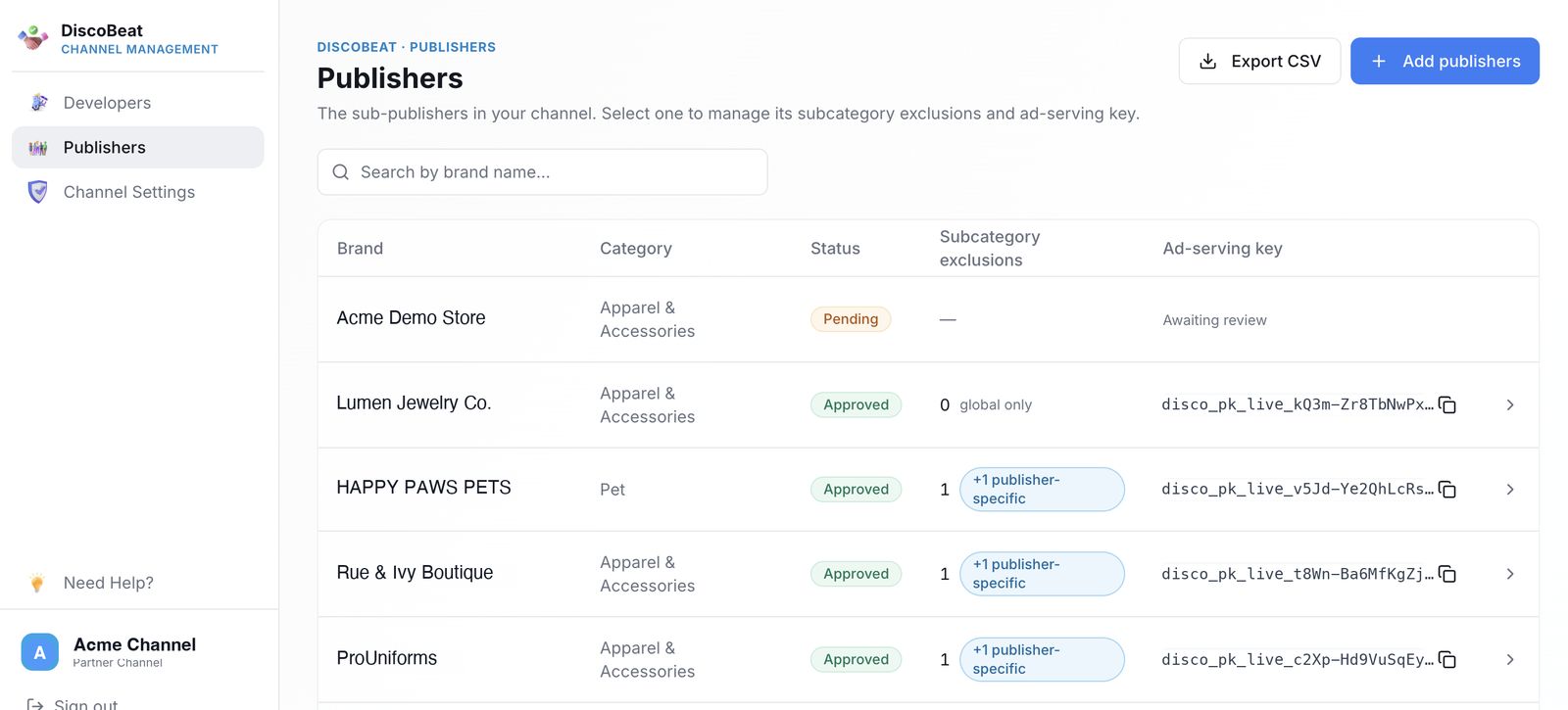
Submitted publishers appear in your list with a Pending status ("Awaiting review"). Disco reviews and approves each one on the back end — matching it to an existing publisher in the network, or creating a new one. As they're approved, their status and ad-serving key update in the list.
You can also Export CSV from the Publishers list to download your full publisher list.
Don't submit test accounts. Only submit real publishers — test accounts are hard to remove on our side.
Find a publisher
The Publishers list shows each one's Brand, Category, Status, Subcategory exclusions, and Ad-serving key. Search by brand name to find one quickly.
Get a publisher live
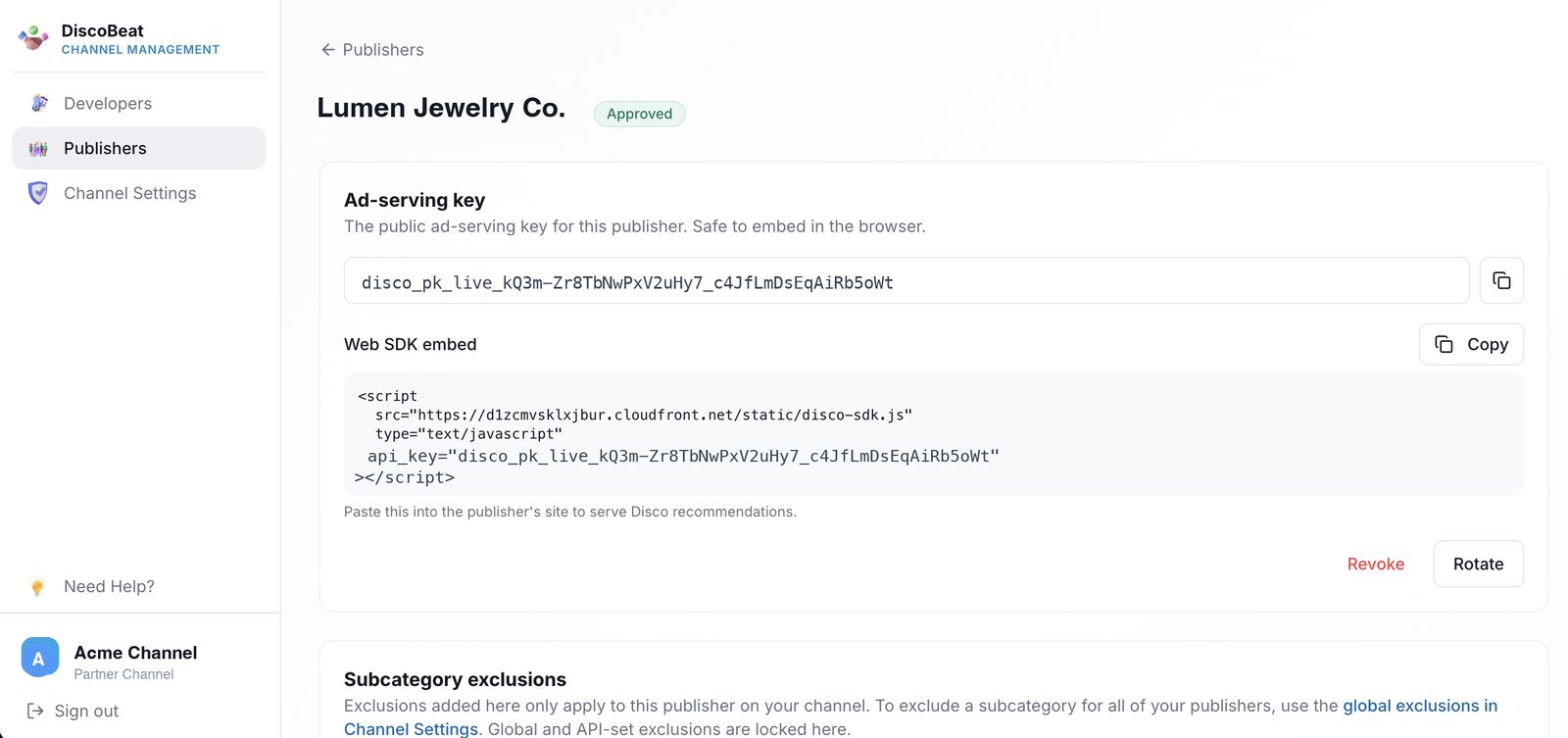
Once a publisher is approved, open it to find its Ad-serving key — the public key that's safe to embed in the browser — and a ready-made Web SDK embed snippet with that key already in it. Click Copy, place the snippet on that publisher's site, and they're serving Disco recommendations. The per-publisher key is how Disco knows whose page each impression belongs to, which keeps reporting and payouts clean. Rolling out to many publishers? Your developers can pull each ad-serving key through the Channel API.
Related articles
Managing publishers programmatically? See the DiscoBeat Channel API in the Developers section.