Going live: review and activation
Here's the sequence in plain terms: you go live and earning as soon as you finish the setup wizard and add the widget to your pages. There's no publish step and no waiting on review. The steps on this page are about getting paid: telling us you're ready, a quick setup review, and the payout paperwork. Clunky? A little. But knowing which side of the line each step sits on makes it painless.
Going live doesn't start your payouts. You earn from the moment offers show on your pages, but we can't pay you until your Disco team has reviewed your setup and you've returned your ACH form and agreement. Your payout setup starts when you let us know you're live.
You go live automatically
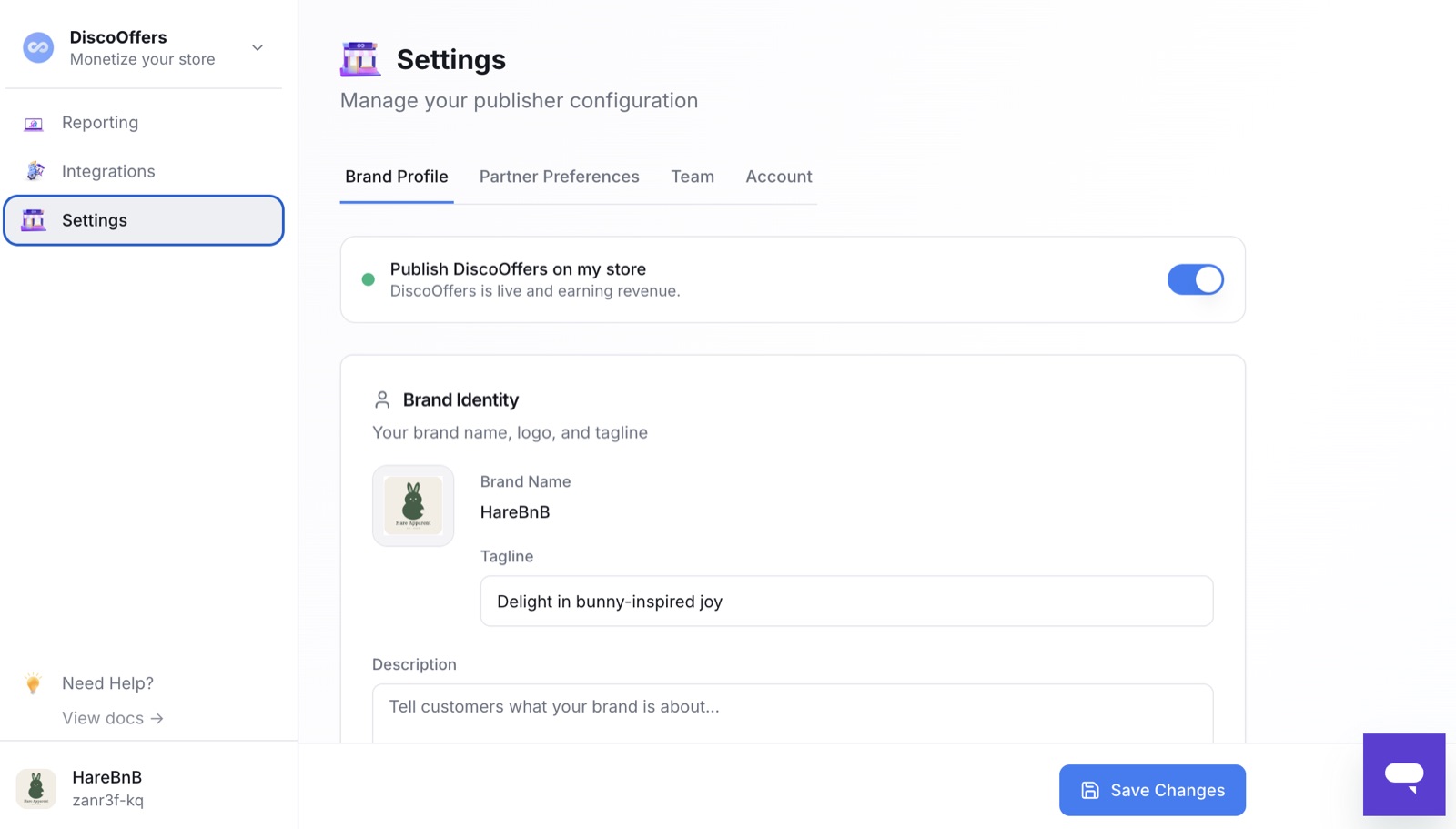
When you finish the setup wizard (your exclusions are part of it), the Publish DiscoOffers on my store toggle switches on for you and reads "DiscoOffers is live and earning revenue." Offers start showing as soon as the widget is on your thank-you and order status pages.
You can turn publishing off and back on anytime in Settings. While it's off, your dashboard shows a banner saying DiscoOffers is turned off, and no offers show on your store.
You can check your status anytime by signing in at platform.disconetwork.com/login.
From this point you're earning. Performance starts appearing in your Reporting dashboard within a few hours — see Reporting and payouts.
Getting paid
Earning starts at publish; payouts start when the paperwork below is done. It determines where we send the money, not whether offers serve.
1. Signal you're ready
Let your Disco team know! Reply to your onboarding email or submit a help request. Onboarding is self-directed, so this step is how your payout setup starts.
2. Setup review
Your Disco team confirms everything is configured correctly:
- Exclusions are set the way you want them.
- DiscoOffers is published and rendering on both pages.
If anything's incomplete, they'll come back to you with what's needed.
3. Payment setup (ACH form)
After your account is reviewed and approved, your Disco team emails you an ACH authorization form so we know where to send your payouts. Complete and return it — you'll provide your company details and bank account information (legal business name, bank name, account and routing numbers, and an authorized signature). This form is sent to you after approval; it isn't filled out in the platform. Returning it promptly keeps your first payout from being delayed. Disco pays publishers via ACH — see Reporting and payouts.
4. Agreement
There's also an agreement to put in place. Your Disco team sends it for review and signature.
5. Paid out
With review passed, the agreement signed, and your ACH details in, payouts flow on the normal schedule — covering what you've earned since the moment you went live. See Reporting and payouts.
Verify it's working
Run a test order and confirm offers render correctly on both your thank-you page and order status page.